To adjust the timezone setting for your account:
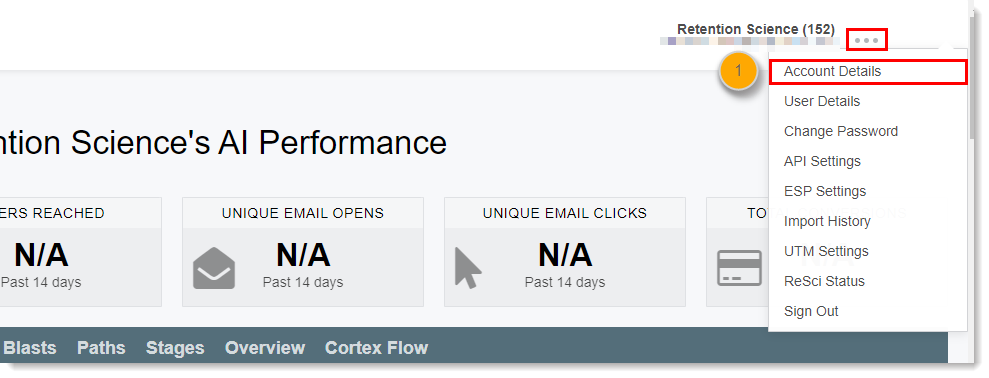
- Click the three dots in the upper-right corner and click Account Details.
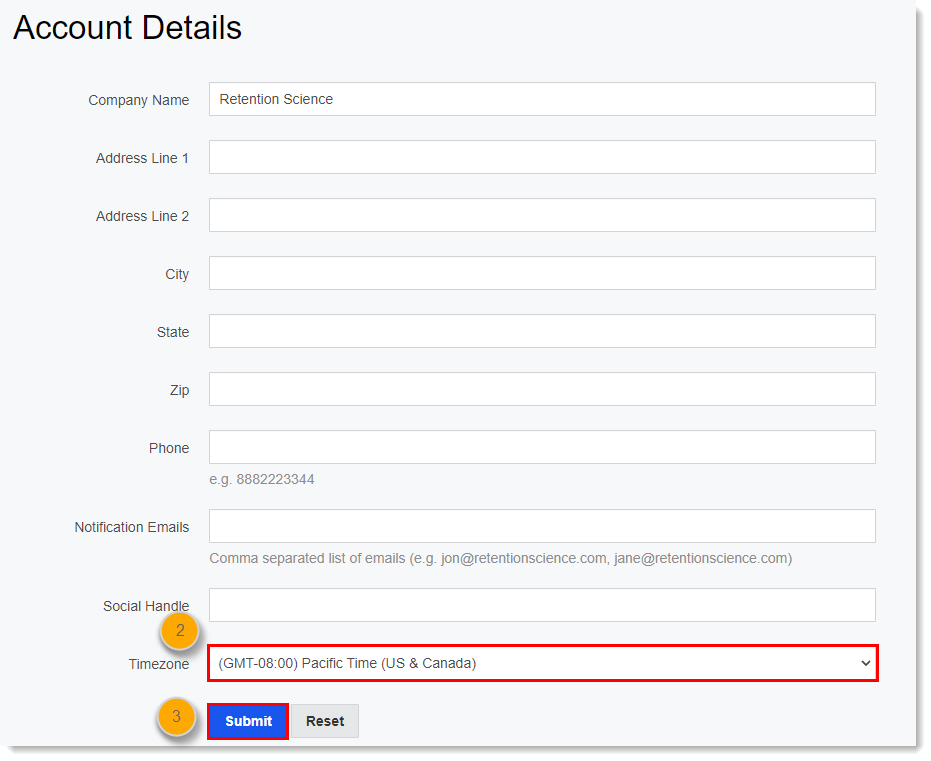
- Click the dropdown in the Timezone field and select the appropriate timezone.
- Click Submit.

To adjust the timezone setting for your account:
Comments
0 comments
Please sign in to leave a comment.