
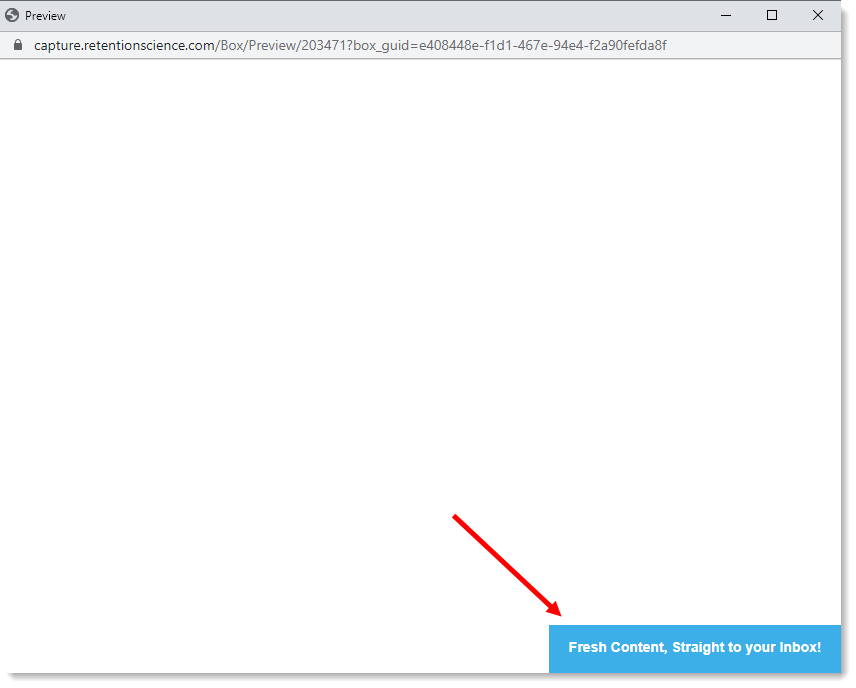
Adding a teaser to your lightbox lets you dock it on your site when the visitor closes it. You can use a teaser to remind your visitors that they can access the info on your lightbox without obstructing their view of your content. To add a teaser, follow the steps below:
- Log into ReSci Lead Capture and select the lightbox you’d like to edit.
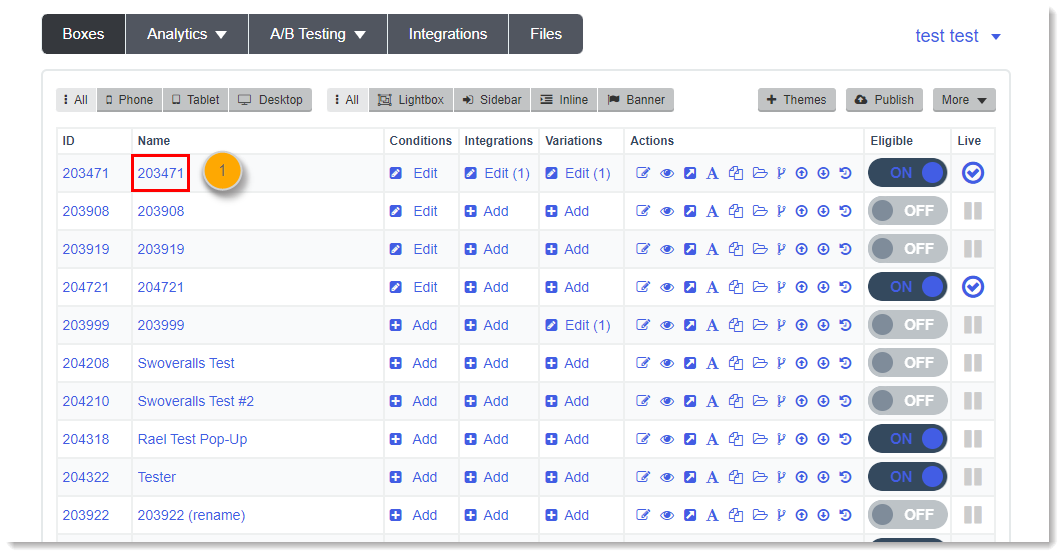
- Click on the Teaser section on the left-hand side.

- Set the Display button to On and choose the position and size of the teaser.
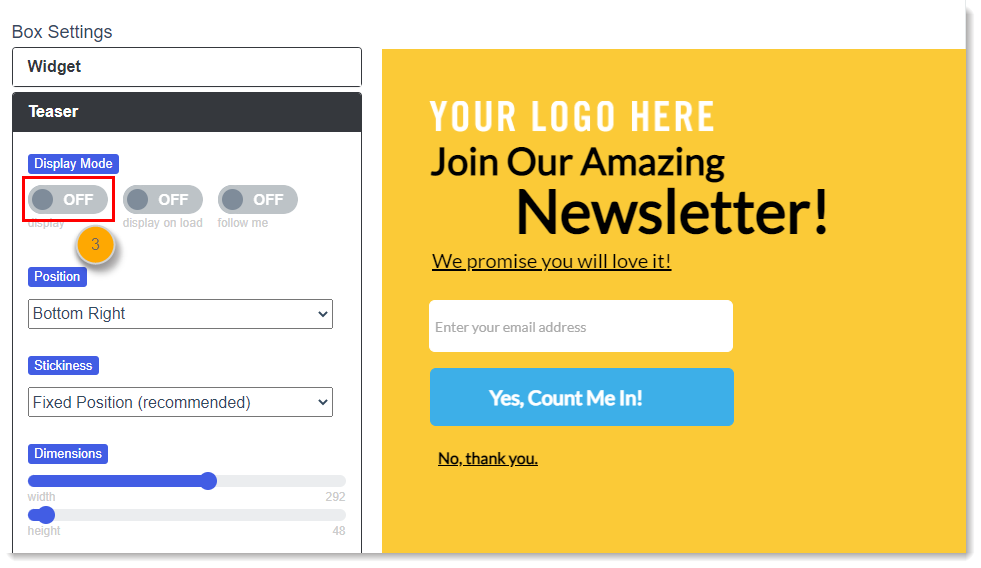
Then, add the text and colors for your teaser.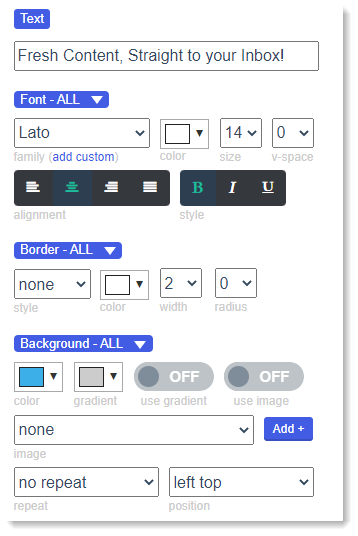
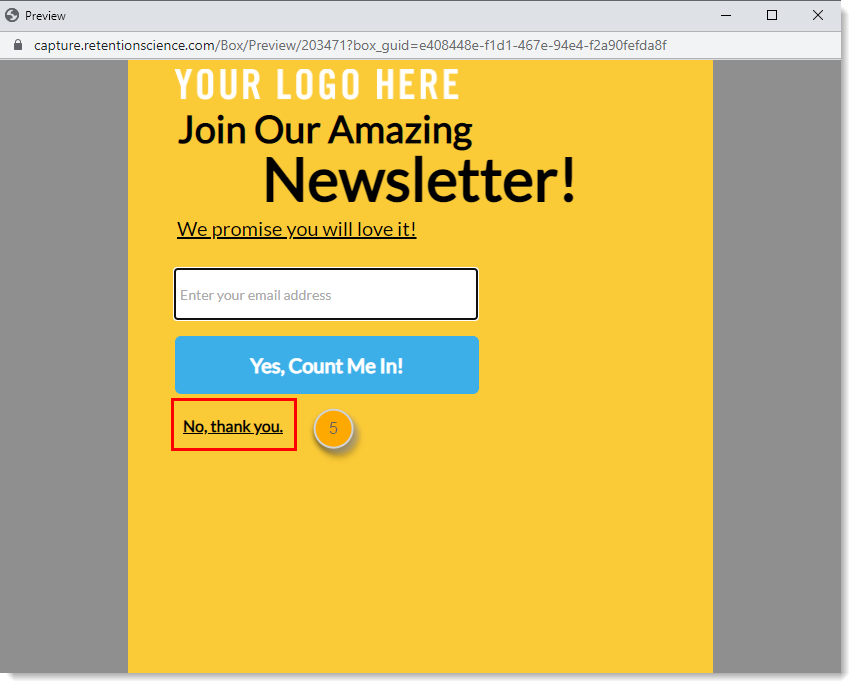
- Click Save & Preview > Preview on Blank Site.
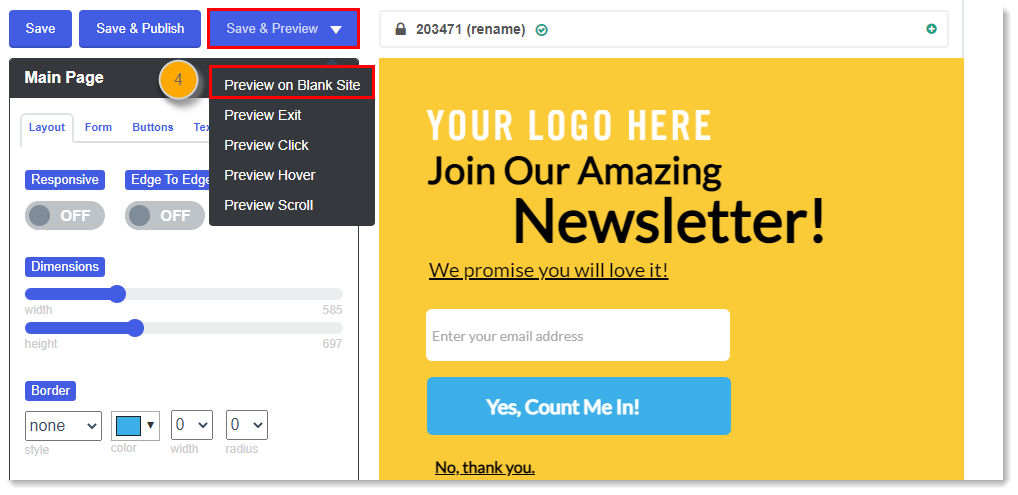
- In the preview window, close your lightbox to see the teaser in action.
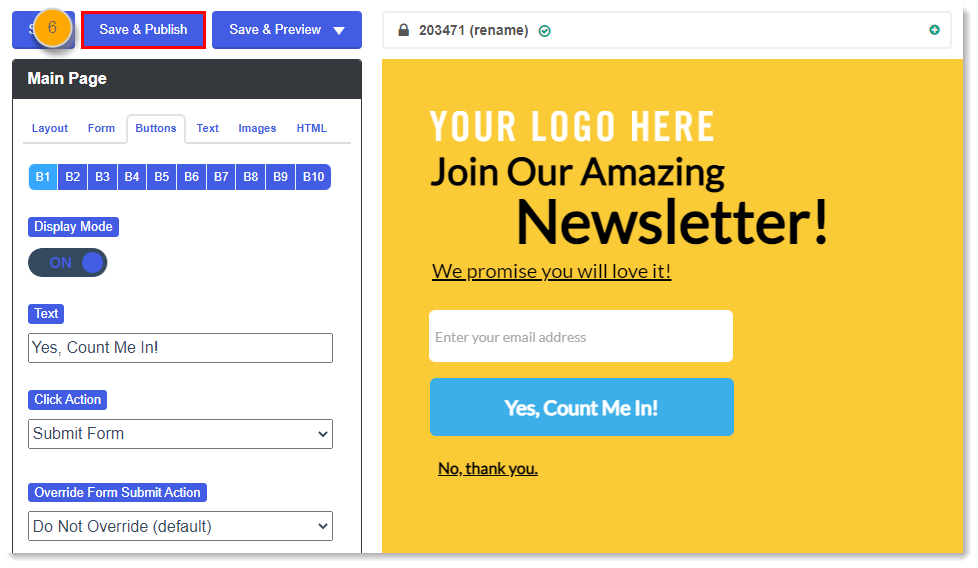
- Hit Save & Publish to push your changes to your site.
Need any help? Send an email to help@retentionscience.com. We can set up a call to walk you through it.
Comments
0 comments
Please sign in to leave a comment.